
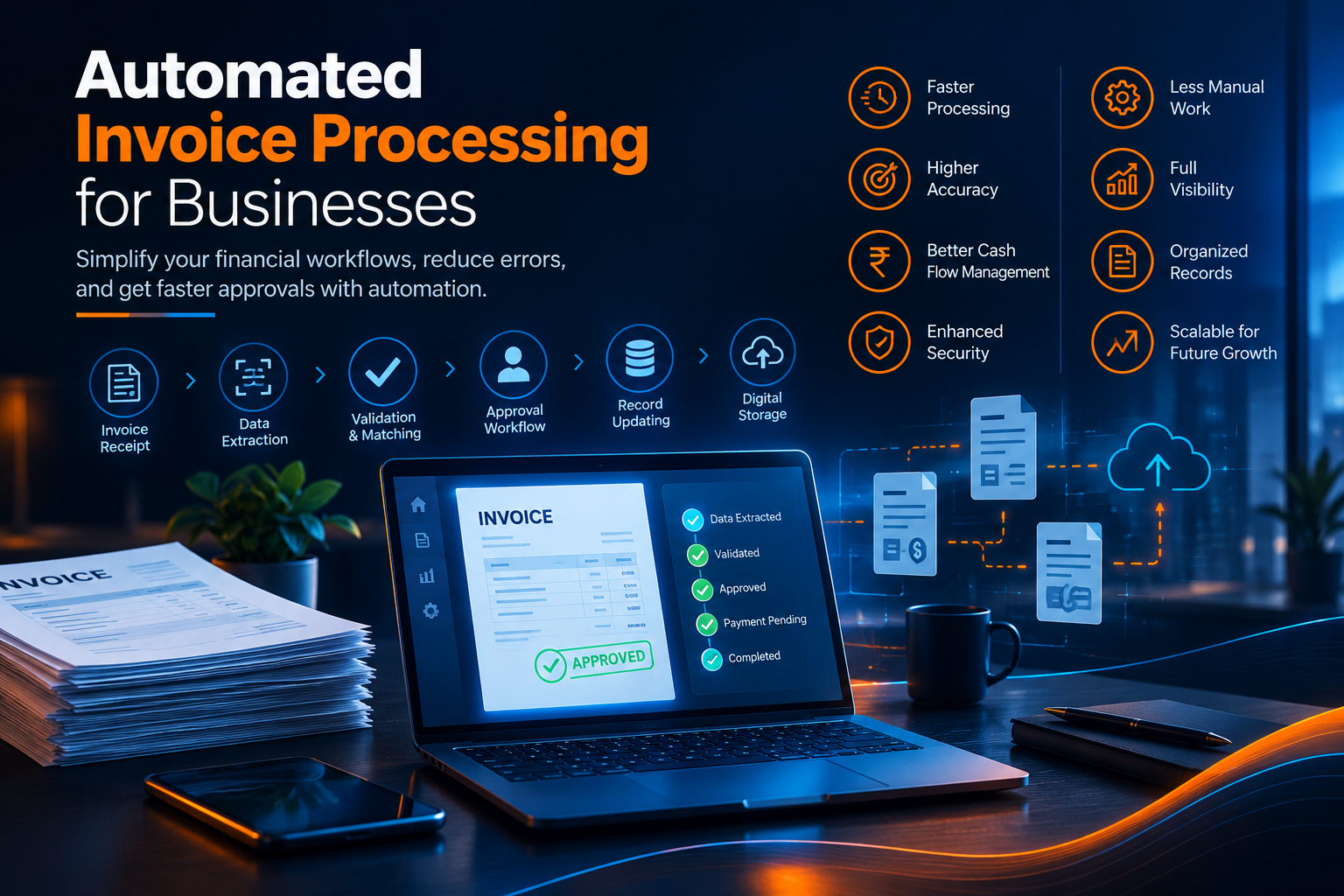
Automated Invoice Processing for Businesses
Introduction
Invoice processing is an essential part of every business’s financial operations. However, handling invoices manually can consume significant time and resources. Employees often need to receive invoices, enter information, verify details, request approvals, update records, and track payments.
As the number of invoices increases, manual processing can become difficult to manage. Data-entry mistakes, duplicate invoices, delayed approvals, and misplaced documents can affect cash flow and overall business efficiency.
Automated invoice processing uses software and digital workflows to simplify these activities. Businesses can capture invoice information, validate data, route invoices for approval, and maintain records with less manual intervention.
For businesses looking to improve their software capabilities, https://www.riotechsoftwares.com/softwaredevelopment.php provides information about software development solutions.
What Is Automated Invoice Processing?
Automated invoice processing is a technology-based approach that manages different stages of invoice handling with minimal manual effort.
A typical automated workflow can include:
- Invoice receipt
- Data extraction
- Information validation
- Duplicate detection
- Approval routing
- Record updating
- Payment status tracking
- Digital archiving
Instead of relying entirely on spreadsheets, emails, and manual entries, businesses can use software to organize invoice-related activities in a structured workflow.
Why Do Businesses Need Invoice Automation?
Manual invoice processing can become increasingly difficult as a company grows. More suppliers and transactions mean more documents to review and more information to maintain.
Automation can help businesses:
- Reduce repetitive data entry
- Improve processing speed
- Minimize common errors
- Track invoice status
- Simplify approval workflows
- Improve record organization
- Increase operational visibility
This allows finance and administrative teams to spend less time on repetitive tasks and more time on higher-value activities.
How Automated Invoice Processing Works
An automated invoice workflow generally follows several steps.
1. Invoice Collection
Invoices can arrive through email, online portals, document uploads, or other digital channels. A centralized system can collect these invoices and organize them for processing.
2. Data Extraction
Important invoice information such as supplier name, invoice number, date, tax amount, and total value can be captured electronically.
Depending on the software, technologies such as optical character recognition and intelligent data extraction can help process invoice information.
3. Data Validation
The system can check whether required information is available and whether the invoice follows predefined business rules.
For example, it may compare invoice details with supplier records or purchase information.
4. Approval Routing
Invoices can automatically be sent to the appropriate employee or department according to predefined approval rules.
This reduces unnecessary email communication and helps prevent invoices from remaining unattended.
5. Record Updating
Once an invoice has been approved, relevant information can be transferred into accounting or business management systems.
This helps maintain more consistent financial records.
6. Digital Storage
Processed invoices can be stored digitally, making it easier for authorized employees to retrieve documents when needed.
Benefits of Automated Invoice Processing
Faster Invoice Processing
Automation can reduce the time required to move an invoice from receipt to approval. Automated workflows can handle repetitive activities quickly and consistently.
Fewer Data-Entry Errors
Manual data entry can result in incorrect invoice numbers, amounts, dates, or supplier information. Automated data capture can reduce the amount of information employees need to enter manually.
Better Approval Management
Invoice automation can route documents to the correct approvers based on predefined rules. This can make approval processes more structured and easier to monitor.
Improved Financial Visibility
A centralized invoice system can provide better visibility into pending, approved, rejected, and processed invoices.
This can help finance teams understand outstanding obligations and manage financial operations more effectively.
Reduced Administrative Work
Employees can spend less time searching through emails, entering invoice information, and following up on approval requests.
Better Document Organization
Digital invoice records can be categorized and searched more efficiently than large collections of physical documents.
Key Features of an Invoice Processing System
A well-designed invoice automation solution may include several useful features.
Automated Data Capture
The system should be able to capture important invoice information efficiently.
Approval Workflows
Businesses can define approval rules based on departments, invoice values, suppliers, or other requirements.
Duplicate Invoice Detection
Duplicate detection can help identify invoices that may have already been submitted or processed.
Status Tracking
Users should be able to see whether an invoice is pending, under review, approved, rejected, or completed.
Search and Reporting
Searchable records and reporting features can help finance teams quickly find specific invoices and review processing activity.
System Integration
Integration with accounting, ERP, CRM, procurement, or other business systems can help reduce disconnected processes.
How Automation Supports Financial Teams
Invoice processing is only one part of financial operations, but it can consume considerable administrative effort when handled manually.
Automation allows finance teams to create more consistent workflows and improve access to invoice information.
Instead of spending time on repetitive administrative activities, employees can focus on areas such as financial analysis, budgeting, supplier relationships, and business planning.
Custom software development can also help organizations create invoice workflows that match their specific operational requirements. Businesses can explore https://www.riotechsoftwares.com/softwaredevelopment.php to learn more about software development solutions.
Integration With Existing Business Systems
Invoice processing becomes more useful when it works together with existing business applications.
For example, an invoice management system can potentially connect with:
- Accounting software
- ERP platforms
- Procurement systems
- Supplier databases
- Payment systems
- Business reporting tools
Integration can reduce duplicate data entry and help information move between different business processes more efficiently.
Security Considerations
Financial documents often contain sensitive business information. Therefore, invoice processing systems should include appropriate security controls.
Important considerations include:
- User authentication
- Role-based permissions
- Secure data storage
- Access monitoring
- Backup procedures
- Audit trails
- Data protection
Businesses should also regularly review who has access to financial documents and systems.
Best Practices for Implementing Invoice Automation
Before implementing an automated invoice processing system, businesses should evaluate their existing workflow.
Understand the Current Process
Identify where invoices are received, reviewed, approved, recorded, and stored.
Define Approval Rules
Establish clear rules for invoice approval based on business requirements.
Integrate Relevant Systems
Connect invoice workflows with accounting or other business platforms where appropriate.
Train Employees
Employees should understand how the new workflow operates and how to handle exceptions.
Monitor Performance
Track processing time, approval delays, errors, and other useful indicators to identify opportunities for improvement.
Conclusion
Automated invoice processing can help businesses simplify financial workflows, reduce repetitive administrative work, improve accuracy, and gain better visibility into invoice activity.
As organizations process larger numbers of invoices, automation can provide a more structured and scalable approach than relying entirely on manual processes.
For businesses seeking customized software solutions, visit https://www.riotechsoftwares.com/softwaredevelopment.php.